OBD2 for iPhone
See what your engine is really doing.
Plug a Bluetooth OBD2 adapter into your car and get live engine data, clear explanations, fault codes and a full report of every drive.
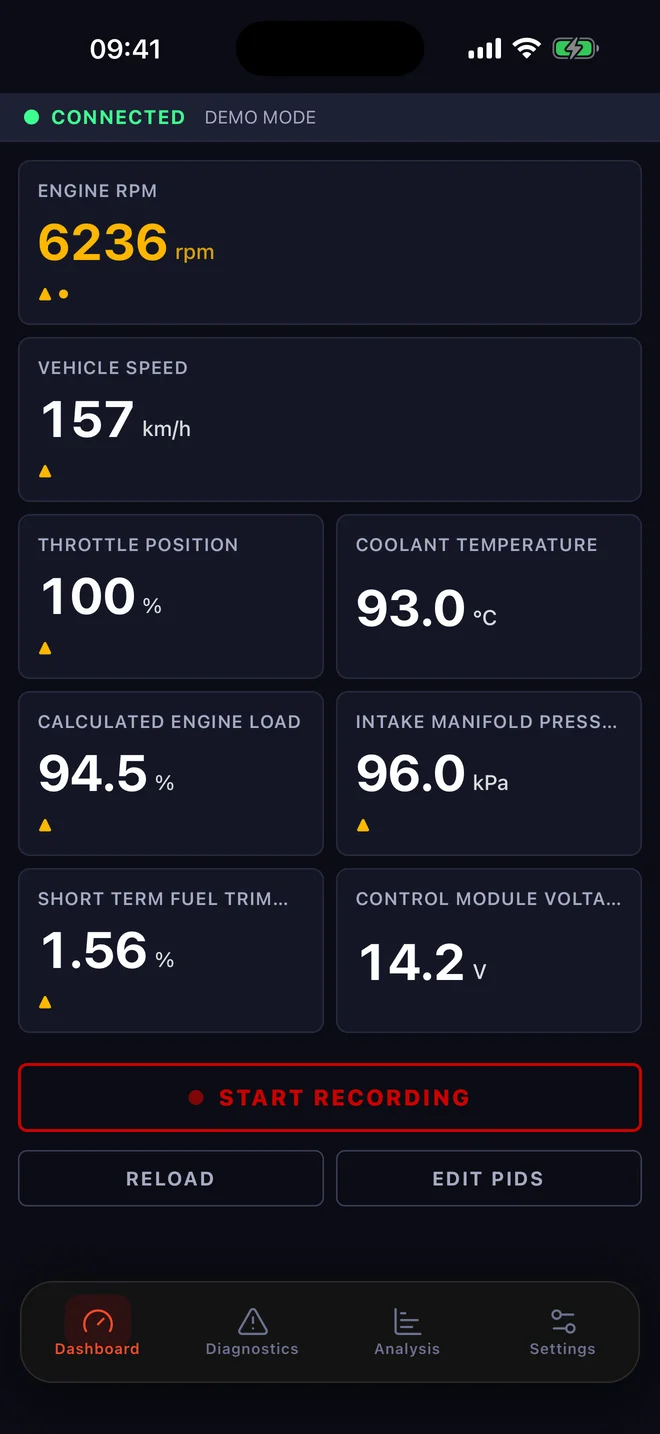
Live engine data
Your engine, live on your dashboard
RPM, speed, throttle, coolant temperature, engine load, manifold pressure, fuel trims, voltage and more, updating as you drive. Pick from more than 70 standard OBD2 readings, depending on what your car supports, and build the dashboard you want. Readings change colour the moment they leave their normal range.
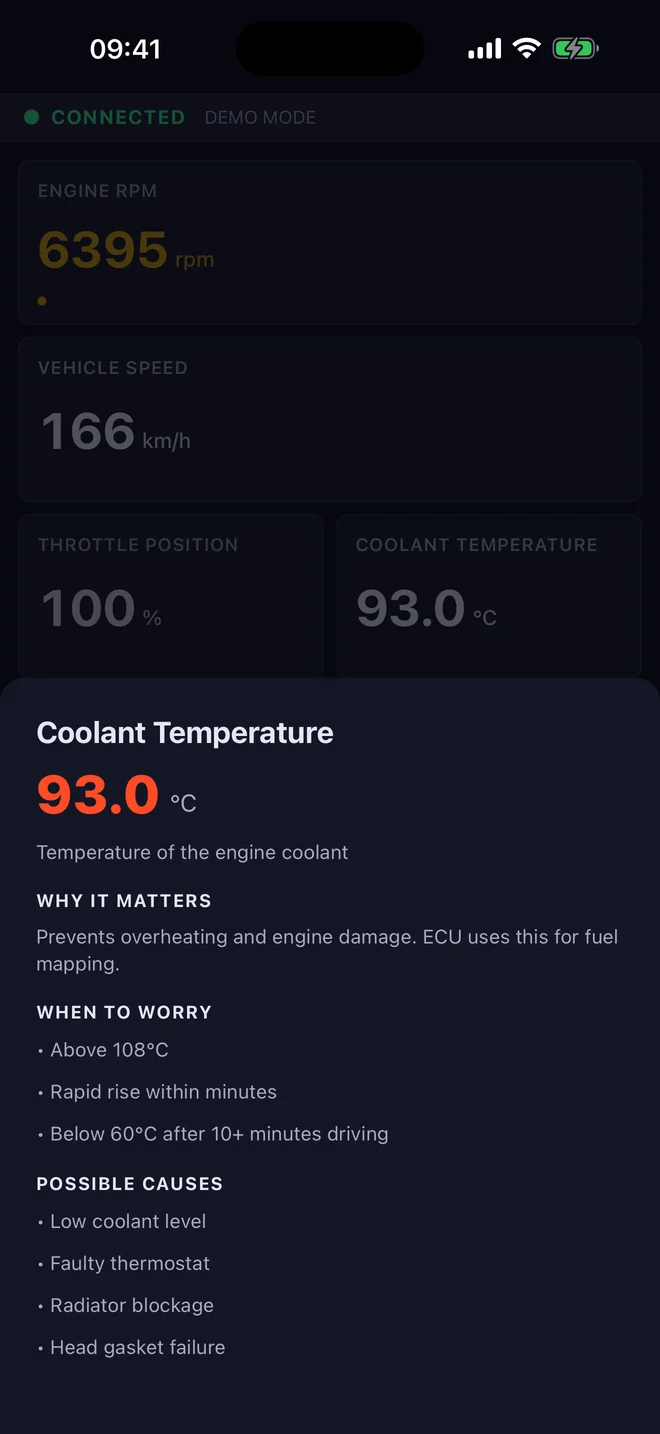
Plain-English explanations
Know what every reading means
Hold any tile to see what the reading is, why it matters, when to worry and the most likely causes. No mechanic required.
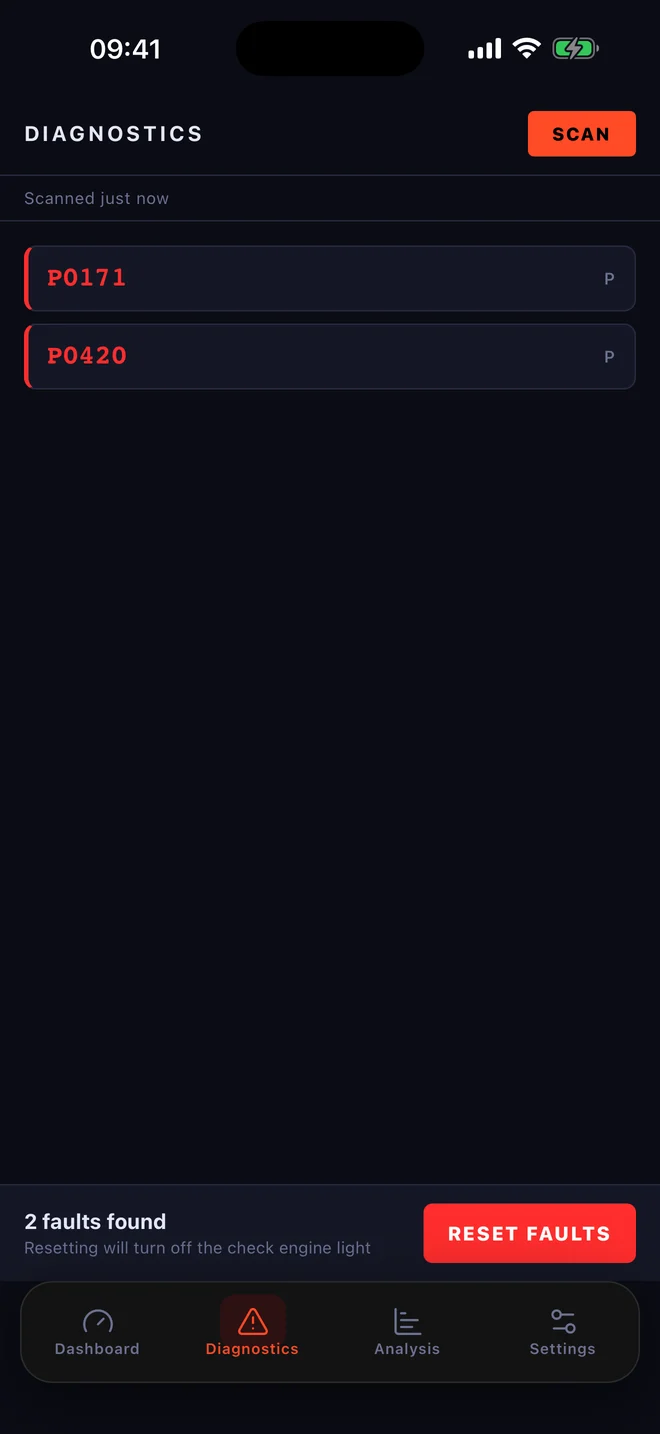
Fault codes
Check engine light on? Find out why
Scan for stored trouble codes in seconds, and reset them once the problem is fixed.
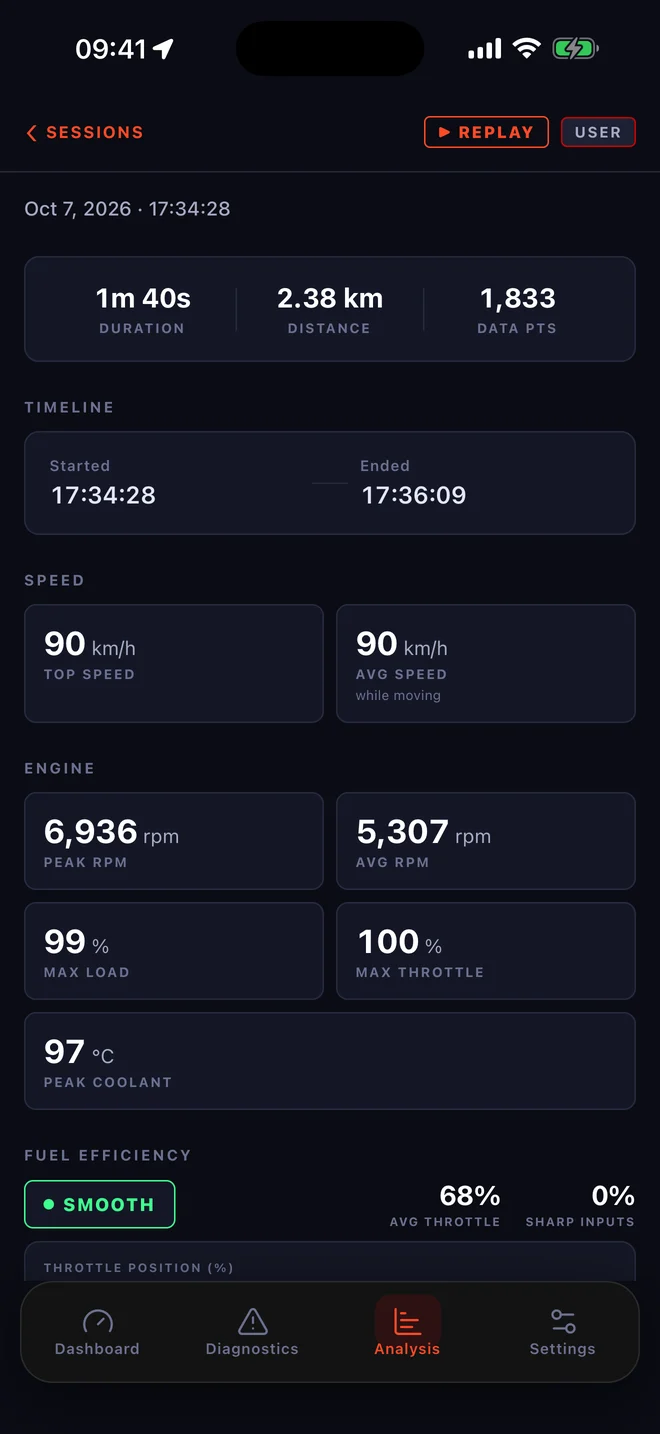
Drive reports
Review every drive
Record a session and get the full story afterwards: distance, top and average speed, peak RPM, load, throttle smoothness, cornering and braking G-forces. Replay it and scrub through every reading on a timeline.
Built for real adapters
Keeps working on cheaper adapters and older cars: patient retries, automatic reconnects and a one-tap Reload.
Speed limits
See the limit for the road you are on, from OpenStreetMap.
Your units
Metric or imperial, and a vehicle profile with fuel type for better fuel figures.
Try it first
Demo mode runs every feature against a simulated car. No adapter needed.
What you need
A car with an OBD2 port
Almost every car sold since the early 2000s has one, usually under the dashboard near the steering column. In the EU that means petrol cars from 2001 and diesels from 2004; in the US, cars from 1996.
A Bluetooth LE OBD2 adapter
Any ELM327-compatible adapter that supports Bluetooth LE (also sold as “Bluetooth 4.0” or “BLE”). iPhones cannot connect to classic-Bluetooth-only adapters, so check before you buy. Adapter tips
Plug in. Drive. Understand.
Questions about adapters or your car? We are happy to help.